The Lenovo Tab M8 has carved a niche for itself in the budget tablet market, offering a compelling blend of affordability and performance. This article delves deep into the device’s features, specifications, and user experiences to help you decide if it’s the right tablet for your needs.
Lenovo Tab M8: Overview
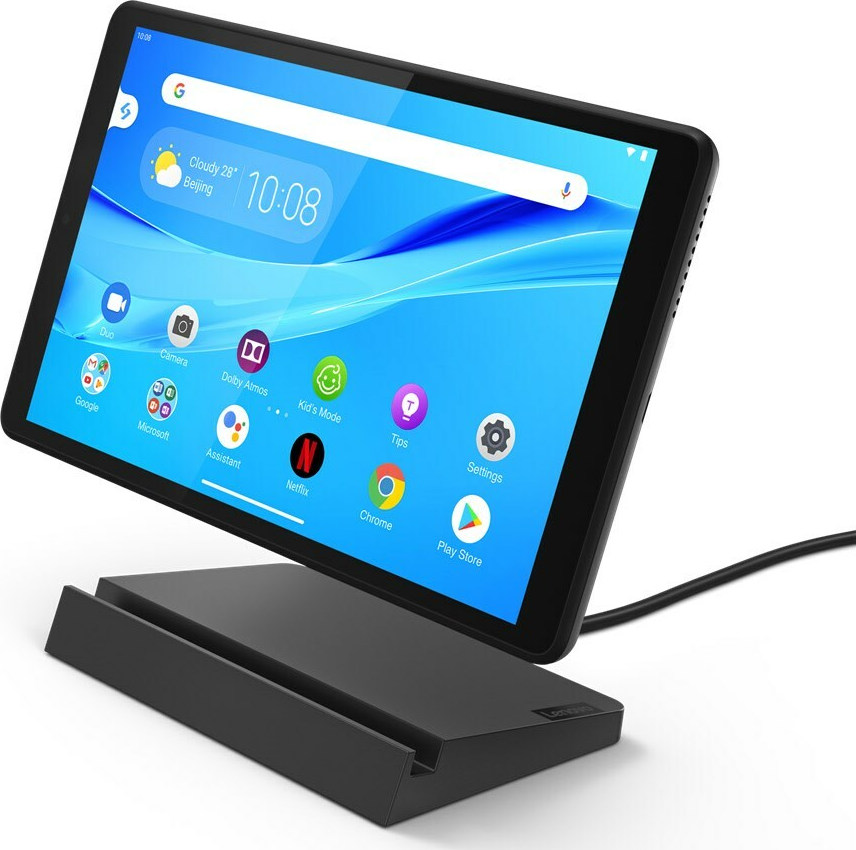
The Lenovo Tab M8 is a compact, Android-powered tablet designed for everyday use. It comes in various configurations with different screen resolutions, RAM, and storage options. Despite its budget-friendly price, Lenovo has managed to pack in essential features that cater to a wide range of users, from students and casual users to entertainment enthusiasts.
Design and Build Quality
The Tab M8 boasts a sleek and modern design, with a focus on portability. The build quality is decent for its price range, with a sturdy frame and a comfortable grip. The tablet is available in a range of color options to suit different preferences.
While the overall design is pleasing, some users have reported that the back panel is prone to fingerprint smudges. However, this is a minor issue that can be easily addressed with a case or regular cleaning.
Display
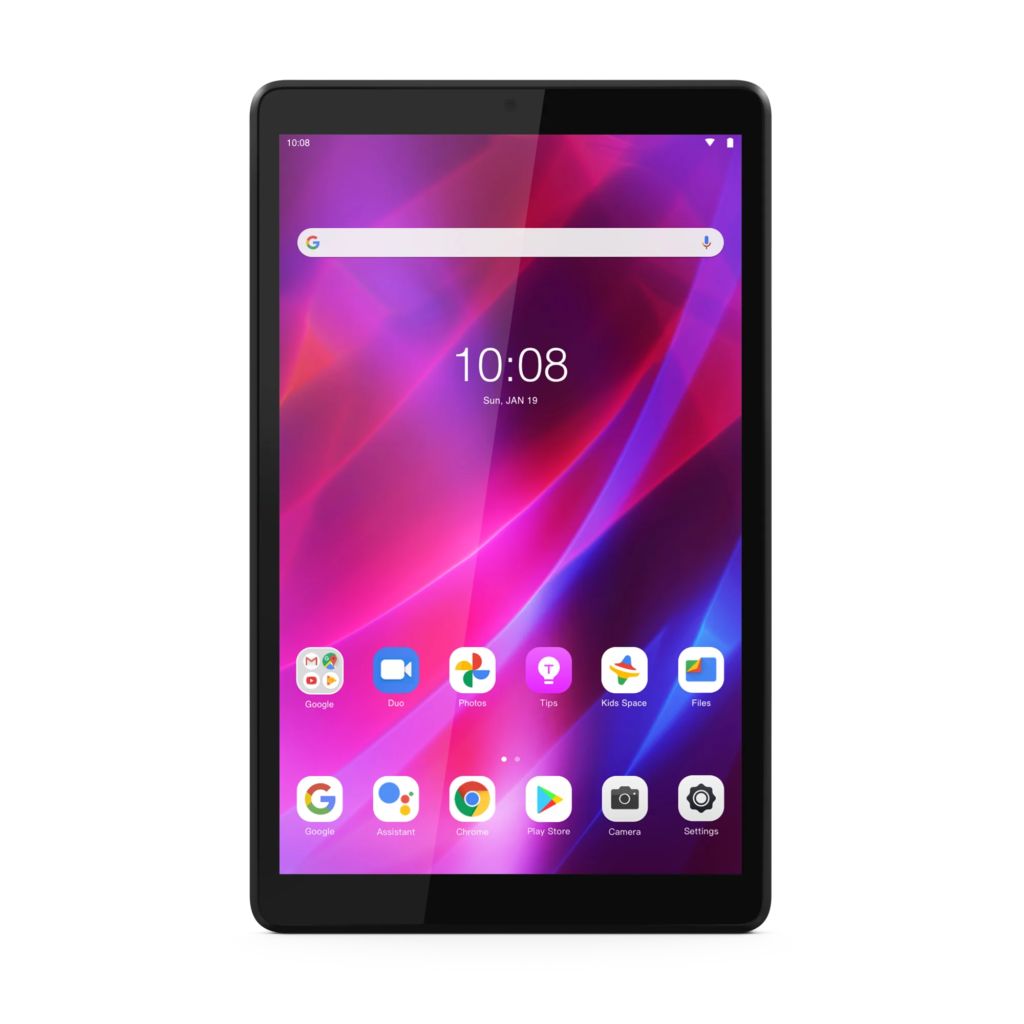
The Lenovo Tab M8 comes in two primary variants: HD and Full HD. The HD model offers a decent viewing experience for basic tasks, while the Full HD variant provides a sharper and more vibrant display. Both versions feature IPS panels, ensuring good viewing angles and color accuracy.
The screen size is optimal for consuming multimedia content, such as movies, TV shows, and online videos. However, the bezels around the display could have been slimmer to enhance the overall screen-to-body ratio.
Performance
Powered by a mid-range processor, the Tab M8 delivers satisfactory performance for everyday tasks like browsing the web, checking emails, and using social media apps. It handles light gaming and multitasking with reasonable efficiency. However, demanding games or heavy multitasking may push the device to its limits.
The RAM configuration varies across different models, with options ranging from 2GB to 3GB. While 2GB might be sufficient for basic tasks, opting for 3GB would provide a smoother experience, especially when multitasking.
Storage and Expandability
The internal storage capacity of the Tab M8 ranges from 32GB to 64GB, depending on the model. While this might be sufficient for storing apps and media files, users who consume a lot of multimedia content might find the storage to be limiting.
Fortunately, the tablet supports expandable storage via a microSD card slot, allowing you to add more storage as needed.
Camera
The Tab M8’s camera setup is primarily designed for video calls and capturing quick snapshots. The rear camera is capable of taking decent photos in well-lit conditions, but the image quality deteriorates in low light. The front-facing camera is adequate for video calls but lacks the detail and sharpness of higher-end tablets.
Battery Life
The Lenovo Tab M8 is equipped with a battery that offers decent battery life. On a single charge, you can expect to get through a full day of moderate usage, which includes browsing, streaming videos, and light gaming. However, heavy usage, such as gaming or video editing, might drain the battery faster.
Software
The Tab M8 runs on the Android operating system, providing access to a vast ecosystem of apps and games. Lenovo also includes its own custom skin, which adds some additional features and customization options.
The software experience is generally smooth, with occasional minor performance hiccups. However, the tablet receives regular software updates, which help to improve performance and add new features.
Audio
The Tab M8 features dual speakers that deliver decent audio quality for a tablet in this price range. The sound is clear and loud enough for watching movies or listening to music. However, audiophiles might find the sound lacking in depth and bass.
Connectivity
The Tab M8 offers standard connectivity options, including Wi-Fi and Bluetooth. Some models also support cellular connectivity, allowing you to use the tablet on the go. The Wi-Fi performance is generally good, with stable connections and decent speeds.
Price and Value
The Lenovo Tab M8 is positioned as a budget-friendly tablet, and it delivers on that promise. It offers a good balance of features and performance for its price. However, the value proposition depends on your specific needs and expectations. If you’re looking for a basic tablet for everyday tasks, the Tab M8 is a solid choice. But if you need a device for heavy-duty gaming or content creation, you might want to consider a higher-end model.
The Lenovo Tab M8 is a capable tablet that offers decent value for money. Its compact design, decent performance, and long battery life make it a suitable choice for students, casual users, and those on a budget. While it might not excel in every aspect, it provides a solid foundation for everyday computing tasks and multimedia consumption.
FAQ’S
General Questions
Q: What is the Lenovo Tab M8? A: The Lenovo Tab M8 is a budget-friendly tablet designed for entertainment and basic tasks. It offers a decent display, long battery life, and access to popular apps and games.
Q: Who is the Lenovo Tab M8 for? A: The Tab M8 is ideal for students, casual users, and those looking for an affordable tablet for browsing the web, watching videos, and playing light games.
Q: What is the screen size of the Lenovo Tab M8? A: The Tab M8 typically comes with an 8-inch display, providing a good balance between portability and screen size.
Q: What is the operating system on the Lenovo Tab M8? A: The Lenovo Tab M8 runs on the Android operating system, offering access to a vast library of apps and games.
Q: Does the Lenovo Tab M8 have a good battery life? A: Yes, the Tab M8 is known for its impressive battery life, allowing you to enjoy extended use without frequent charging.
Performance and Features
Q: How fast is the Lenovo Tab M8? A: While not a powerhouse, the Tab M8 offers sufficient performance for everyday tasks like browsing, streaming, and light gaming.
Q: Does the Lenovo Tab M8 support expandable storage? A: Yes, most models of the Tab M8 support expandable storage via a microSD card, allowing you to increase storage capacity.
Q: Does the Lenovo Tab M8 have a good camera? A: The Tab M8’s camera is suitable for basic photography and video calls but may not produce high-quality images in challenging lighting conditions.
Q: Does the Lenovo Tab M8 support GPS? A: Yes, the Tab M8 includes GPS functionality, allowing you to use navigation apps.
Q: Can I play games on the Lenovo Tab M8? A: Yes, you can play a variety of games on the Tab M8, but demanding games may experience performance limitations.
Buying and Ownership
Q: Where can I buy the Lenovo Tab M8? A: The Lenovo Tab M8 is available for purchase online through Lenovo’s official website, major online retailers, and some electronics stores.
Q: How much does the Lenovo Tab M8 cost? A: The price of the Tab M8 varies depending on the model, storage capacity, and retailer. It is generally considered a budget-friendly option.
Q: What is the warranty on the Lenovo Tab M8? A: The warranty coverage for the Tab M8 may vary depending on your region and purchase location. Check with the retailer or Lenovo for specific warranty details.
Q: Can I use a keyboard with the Lenovo Tab M8? A: Yes, you can use a Bluetooth keyboard with the Tab M8 for a more typing-friendly experience.
Q: Does the Lenovo Tab M8 come with a case or cover? A: Some models may include a case or cover, but it’s best to check the product specifications or purchase one separately for protection.
Troubleshooting
Q: My Lenovo Tab M8 won’t turn on. What should I do? A: Try charging the device for a few minutes and then pressing the power button. If the issue persists, contact Lenovo support.
Q: The Lenovo Tab M8 is slow. How can I improve performance? A: Close unnecessary apps, clear cache, and consider uninstalling unused apps to improve performance.
Q: The Lenovo Tab M8’s Wi-Fi is not connecting. What should I do? A: Forget the Wi-Fi network and reconnect, check your router settings, and ensure the tablet’s Wi-Fi is turned on. If the problem continues, contact your internet service provider.
Q: The Lenovo Tab M8’s screen is cracked. Can it be repaired? A: Screen repairs typically require professional assistance. Contact Lenovo support or a repair service for assistance.
Q: Can I upgrade the Android version on the Lenovo Tab M8? A: Software updates depend on Lenovo’s release schedule. Check for updates regularly through the system settings.
To read more, Click here

